
Warping can ruin even the most promising 3D print, especially when working with low-temperature materials. Understanding heat dynamics is essential for consistent, professional results.

🔥 Why Heat Management Matters in Low-Temperature Printing
Low-temperature printing materials like PLA, PETG, and specialty filaments offer incredible versatility and ease of use. However, these materials remain particularly susceptible to warping when thermal conditions aren’t properly controlled. The physics behind warping is straightforward: as heated material cools unevenly, internal stresses develop, causing edges to lift and corners to curl.
When you extrude filament at temperatures between 180°C and 240°C onto a build surface, the material undergoes rapid thermal expansion and contraction. The bottom layers cool at different rates than upper layers, creating differential shrinkage. This phenomenon becomes especially pronounced with larger prints or those with significant surface area contact with the build plate.
Professional makers understand that preventing warping isn’t about eliminating heat—it’s about managing thermal gradients intelligently. Every aspect of your printing environment, from ambient temperature to cooling fan speed, plays a critical role in determining whether your print adheres beautifully or peels away in frustration.
Understanding the Science Behind Warping
Thermal contraction is the primary culprit behind warping in 3D printing. When polymer chains in filament are heated, they become mobile and can be shaped. As these chains cool, they attempt to return to a lower-energy state, which involves shrinking. PLA, for instance, experiences approximately 0.3-0.5% linear shrinkage during cooling.
This percentage might seem minimal, but on a 200mm print, we’re talking about potential movement of 0.6-1.0mm. When this shrinkage occurs unevenly—with bottom layers constrained by bed adhesion while upper layers cool freely—the result is internal stress that manifests as warping.
Different materials exhibit varying thermal expansion coefficients. PLA has relatively low shrinkage compared to ABS or nylon, making it popular for beginners. However, even PLA will warp under poor thermal management. The glass transition temperature (Tg) of your material determines the temperature range where it transitions from rigid to rubbery, and managing temperatures around this threshold is crucial.
The Role of Ambient Temperature
Your printing environment’s ambient temperature significantly impacts warping susceptibility. Printers operating in rooms below 18°C face increased warping risks, as the temperature differential between extruded material and environment becomes extreme. Conversely, excessively warm environments above 30°C can prevent proper layer solidification.
Drafts and air currents create localized cooling that exacerbates warping. A gentle breeze across your print bed might feel refreshing to you, but it creates asymmetric cooling patterns that guarantee corner lifting. This is why enclosures prove so effective—they stabilize ambient conditions around the print.
🛠️ Build Plate Temperature Optimization
The heated build plate serves as your first line of defense against warping. By maintaining the bottom layers at elevated temperatures, you reduce the thermal gradient between freshly extruded material and the foundation layers. However, there’s a delicate balance to strike.
For PLA, bed temperatures between 50-60°C typically provide optimal adhesion without softening the material excessively. Setting temperatures too high can cause “elephant’s foot,” where bottom layers expand outward. Too low, and adhesion suffers, inviting warping from the first layer onward.
PETG requires slightly higher bed temperatures, usually 70-80°C, due to its higher glass transition temperature. The material’s tendency to adhere almost too well means you need enough heat to ensure bonding during printing but not so much that part removal becomes destructive.
Temperature Profiling Across Print Height
Advanced users implement temperature profiling strategies where bed temperature gradually decreases as print height increases. Starting at 60°C for initial layers and reducing to 50°C after 20-30 layers allows the foundation to remain stable while reducing overall thermal stress as the print progresses.
This technique requires firmware that supports temperature scripting or careful manual intervention. Some slicing software allows G-code modifications that adjust bed temperature at specific layer heights, giving you granular control over the thermal environment throughout the printing process.
Mastering First Layer Adhesion
Warping prevention begins with perfect first layer adhesion. No amount of temperature management can compensate for poor initial bonding between filament and build surface. The first layer must be squished just enough to create mechanical interlocking without being so compressed that the nozzle drags through material.
Z-offset calibration determines this critical parameter. Using a piece of standard printer paper as a feeler gauge, adjust your nozzle height until you feel slight resistance when moving the paper between nozzle and bed. This gives approximately 0.1mm clearance—ideal for most materials.
First layer printing speed should be reduced to 20-30mm/s, allowing material adequate time to bond before the nozzle moves away. Faster speeds can pull freshly deposited filament, creating weak spots that become warping initiation points as the print progresses.
Surface Preparation Techniques
Build surface cleanliness dramatically affects adhesion quality. Oils from fingerprints, dust particles, and residual filament create barriers between material and surface. Clean your build plate before every print using isopropyl alcohol (90%+ concentration) and a lint-free cloth.
Different surface materials offer varying adhesion characteristics:
- Glass: Provides perfectly flat surface but requires adhesion aids like glue stick or hairspray for most materials
- PEI sheets: Offer excellent adhesion when clean, requiring only occasional cleaning with dish soap and water
- BuildTak-style surfaces: Provide strong mechanical grip but wear over time and can be damaged by scraping
- Textured powder-coated steel: Combines durability with good adhesion, particularly effective for PLA and PETG
⚙️ Cooling Fan Strategy for Low-Temp Materials
Part cooling fans represent a double-edged sword in warping prevention. Adequate cooling solidifies layers quickly, enabling better overhang performance and finer details. However, aggressive cooling creates thermal shock that promotes warping, especially on larger prints.
For PLA, gradually ramping cooling from 0% at the first layer to 100% by layer 3-5 provides optimal results. This allows the foundation layers to maintain temperature and adhesion while upper layers benefit from rapid solidification. Small prints tolerate higher cooling speeds, while large-footprint prints require more conservative approaches.
PETG presents different requirements. This material benefits from minimal cooling—typically 30-50% fan speed maximum. PETG’s higher glass transition temperature means it maintains structural integrity at temperatures where PLA would soften, reducing the need for aggressive cooling.
Directional Cooling Considerations
Standard part cooling fans blow air predominantly toward the front of the print. This creates asymmetric cooling that can cause directional warping. Upgrading to a dual-fan or ring-style cooling duct ensures even air distribution around the nozzle, promoting uniform solidification.
For problematic prints, consider reducing cooling on specific sides by partially blocking fan ducts. A small piece of tape strategically placed can redirect airflow away from warp-prone corners, allowing those areas additional time to solidify under lower thermal stress.
📐 Design Strategies That Prevent Warping
Smart design choices can eliminate warping before printing begins. Sharp corners create stress concentration points where warping initiates. Adding fillets or chamfers to inside corners distributes stress over larger areas, significantly reducing lifting tendency.
Large flat surfaces present maximum warping challenge. The extensive contact area with the build plate means even minor shrinkage translates to substantial force. Breaking large solid floors into grid patterns with periodic gaps reduces the continuous surface area, allowing material to contract without generating sufficient force to overcome bed adhesion.
Brims and rafts serve as sacrificial structures that increase effective bed contact area. A 10-15mm brim adds substantial adhesion perimeter while remaining easy to remove post-print. Rafts create a buffer layer between the build surface and your actual part, though they consume more material and leave a textured bottom surface.
Corner Reinforcement Techniques
Adding “mouse ears” or corner discs to your model provides additional adhesion specifically where warping typically initiates. These small circular tabs (10-20mm diameter, 0.2mm thick) can be integrated in your slicer and extend from corners, anchoring them firmly to the build plate.
For particularly challenging prints, design integrated tabs that extend 5-10mm beyond your part’s footprint at corners. These tabs can be removed post-print with flush cutters or a sharp blade, but during printing they provide critical anchoring that prevents lift-off.
🌡️ Environmental Control Solutions
Enclosing your printer stabilizes thermal conditions by eliminating drafts and maintaining consistent ambient temperature around your print. Commercial enclosures range from simple fabric tents to sophisticated climate-controlled chambers, but even DIY solutions using cardboard or foam board panels provide substantial benefit.
Enclosure temperature naturally rises during printing from heat emanating from the bed and hotend. For low-temperature materials like PLA, maintaining internal temperatures between 25-35°C provides optimal conditions. Higher temperatures risk heat creep in the cooling zone above your hotend, potentially causing jams.
Strategic enclosure ventilation prevents overheating while maintaining stability. A small opening at the top allows heat buildup to escape while preventing drafts across the print bed. Temperature monitoring using an inexpensive thermometer helps you optimize ventilation for your specific setup and materials.
Seasonal Adaptation Requirements
Printing conditions that work perfectly in summer may fail in winter when ambient temperatures drop and heating systems create air currents. Seasonal adjustment of bed temperatures, cooling fan speeds, and enclosure ventilation ensures consistent results year-round.
Winter printing often benefits from 5-10°C increases in bed temperature and reduced cooling fan speeds. Conversely, summer conditions may require enhanced ventilation or air conditioning to prevent heat creep and maintain proper material solidification.
Material-Specific Temperature Profiles
Each filament type has optimal temperature ranges that balance printability with warping resistance. Understanding these ranges allows you to dial in settings that work for your specific printing environment and material brand.
| Material | Nozzle Temp (°C) | Bed Temp (°C) | Cooling Strategy |
|---|---|---|---|
| Standard PLA | 190-220 | 50-60 | High (80-100%) |
| PLA+ | 200-230 | 55-65 | Moderate (60-80%) |
| PETG | 220-250 | 70-80 | Low (20-50%) |
| TPU (flexible) | 210-230 | 40-60 | Minimal (0-30%) |
These ranges serve as starting points requiring fine-tuning for your specific printer, environment, and filament brand. Manufacturers often provide recommended settings on spool labels or specification sheets—use these as baselines for experimentation.
🔍 Troubleshooting Persistent Warping Issues
When warping persists despite implementing standard preventive measures, systematic troubleshooting identifies the root cause. Begin by isolating variables—test with known-good filament, verify bed leveling accuracy, and confirm temperature readings with an external thermometer.
Bed leveling inconsistencies often masquerade as warping problems. If one corner consistently lifts while others remain adhered, the issue likely stems from that corner being slightly higher, reducing first layer squish and adhesion. Spend extra time ensuring tramming across the entire build surface.
Filament moisture absorption creates steam during extrusion, producing poor layer bonding that contributes to warping. PLA and especially PETG absorb atmospheric moisture over time. Drying filament at 50-60°C for 4-6 hours in a food dehydrator or specialized filament dryer often resolves mysterious warping that appears suddenly with older spools.
Hardware Issues Contributing to Warping
Mechanical problems can create thermal management challenges. A warped build plate creates varying gaps between nozzle and surface, producing inconsistent first layers. Check your bed flatness using a precision straightedge—deviations exceeding 0.2mm over 200mm require correction through shimming, mesh bed leveling, or plate replacement.
Thermistor calibration drift causes displayed temperatures to differ from actual temperatures. If your printer is several years old and warping has gradually worsened, verify thermistor accuracy. This requires external temperature measurement tools but can reveal significant discrepancies requiring thermistor replacement.
Advanced Thermal Management Techniques
Power users implement sophisticated thermal control strategies that go beyond basic temperature settings. Printing with chamber temperature sensors and automated heating allows precise environmental control that eliminates warping even on challenging prints.
Active chamber heating using small space heaters or heat lamps maintains stable internal temperatures. Combined with temperature controllers, these systems can hold enclosure temperatures within ±2°C, providing professional-grade thermal stability. This investment pays dividends when regularly printing large or warp-prone designs.
Segmented bed heating divides the build plate into zones with independent temperature control. By heating only the area under your print and maintaining lower temperatures elsewhere, you reduce overall thermal stress while maintaining optimal adhesion where needed. This requires hardware modifications but provides exceptional control for advanced users.
💡 Creating Your Personal Printing Profile
Developing a systematic approach to heat management transforms frustrating failures into reliable successes. Document your settings for different materials, seasons, and print sizes. This knowledge base becomes invaluable when troubleshooting or switching between projects.
Create test prints specifically designed to reveal warping tendencies—large squares with minimal infill expose adhesion problems quickly without wasting hours on complex models. Running these tests when changing materials or adjusting environmental factors provides immediate feedback about the effectiveness of your modifications.
Temperature tower tests help identify optimal nozzle temperatures for each filament brand and color. These calibration prints vary temperature every few layers, allowing you to observe how heat affects layer adhesion, surface quality, and warping tendency. The visual results guide your baseline temperature selection.
🎯 Achieving Warping-Free Results Consistently
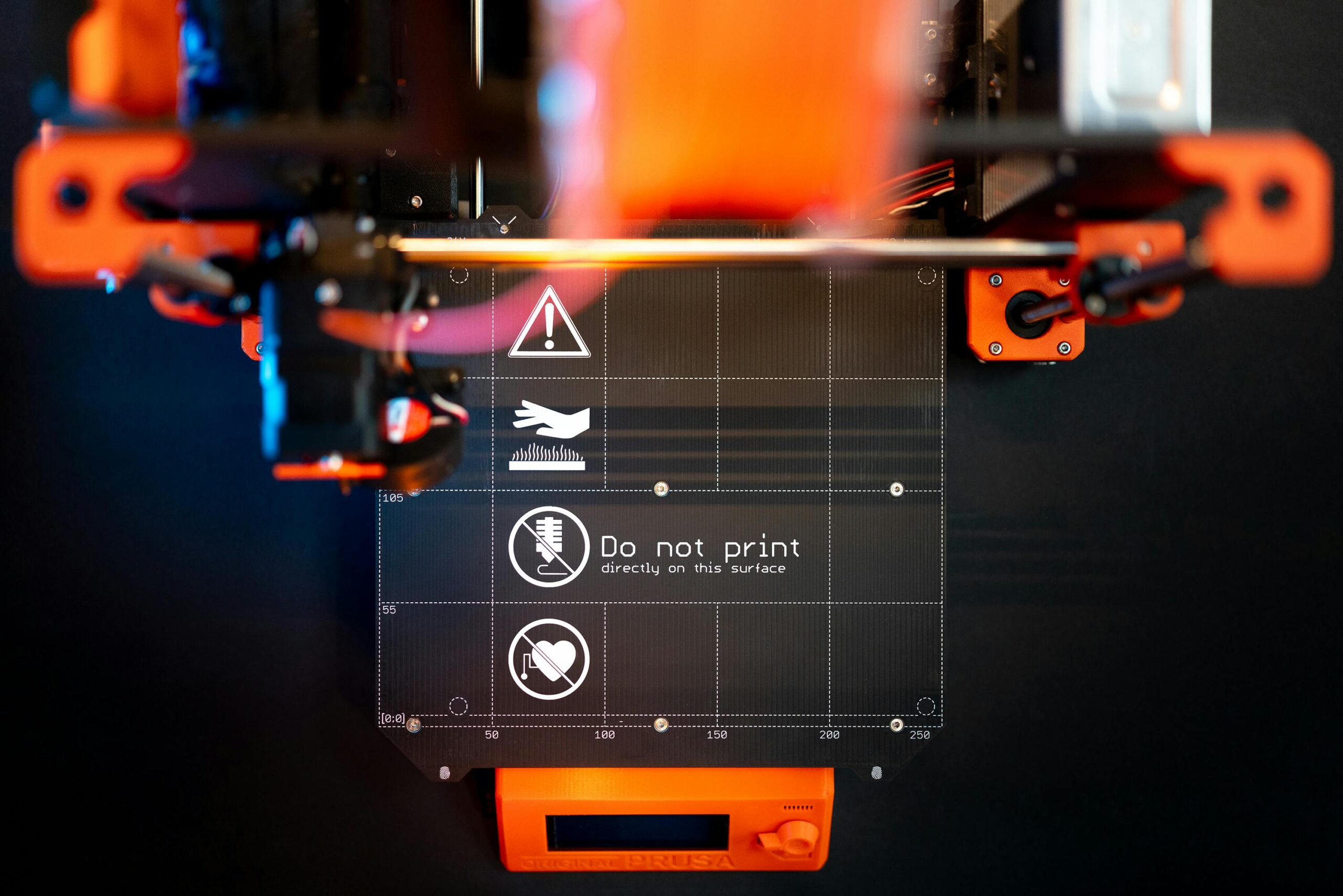
Mastering heat management for warping prevention ultimately comes down to understanding and controlling the thermal environment throughout your print. Every element—from bed temperature to ambient conditions to cooling strategies—works together to determine success or failure.
Start with proven baseline settings for your material, then adjust systematically based on results. Increase bed temperature by 5°C increments if corners lift. Reduce cooling if layers show delamination. Add brims or enclosures for large prints. Each modification should be deliberate and documented so you can build on what works.
Remember that warping prevention isn’t about eliminating temperature changes—it’s about managing them intelligently. By controlling cooling rates, maintaining stable environments, and optimizing adhesion, you ensure that thermal contraction occurs uniformly without generating destructive internal stresses.
The investment in understanding thermal dynamics pays exponential dividends in print quality and success rates. With proper heat management, those low-temperature materials that once frustrated you become reliable workhorses capable of producing beautiful, warp-free prints every single time. Your prints stay perfect because you’ve mastered the invisible force that governs their success—heat.