Successful 3D printing depends heavily on proper calibration. Without precise setup, even the best printers produce warped layers, failed adhesion, and wasted filament.

🎯 Why Calibration Makes or Breaks Your 3D Printing Success
The difference between a drawer full of failed prints and a collection of perfect models often comes down to calibration. Every 3D printer, regardless of brand or price point, requires careful calibration to achieve optimal results. This process aligns all mechanical components, ensures accurate extrusion, and creates the foundation for reliable printing.
Calibration isn’t a one-time setup task. Environmental changes, filament variations, and normal wear affect printer performance over time. Regular calibration routines maintain print quality and prevent the frustration of discovering problems mid-print. Understanding and implementing proper calibration techniques transforms your 3D printing experience from unpredictable to consistently successful.
🔧 Essential First-Layer Calibration: The Foundation of Perfect Prints
The first layer determines whether your print succeeds or fails. Too close to the bed, and the nozzle scrapes or clogs. Too far away, and the filament doesn’t adhere properly, leading to warping or complete detachment.
Begin first-layer calibration by heating your printer to normal printing temperatures. This ensures thermal expansion matches actual printing conditions. Clean your build surface thoroughly with isopropyl alcohol to remove oils and debris that interfere with adhesion.
Most printers include paper-leveling as a starting point. Place standard printer paper between the nozzle and bed at each leveling point. Adjust until the paper slides with slight resistance—enough to feel friction but not enough to tear. This creates approximately the right gap for most filaments.
Fine-Tuning First Layer Height
Paper leveling provides a baseline, but visual inspection during actual printing reveals the truth. Print a large, single-layer square to observe how filament lays down. Perfect first layers show:
- Smooth, glossy surface without gaps between lines
- Slight squish where adjacent lines merge together
- No translucency or visible build plate beneath
- Easy removal without excessive force
- No ridges, bumps, or scratching patterns
If lines appear rounded and separate, the nozzle sits too high. Lower it in small increments—typically 0.025mm adjustments work well. If the nozzle drags or creates thin, transparent patches, raise it slightly.
📏 E-Steps Calibration: Ensuring Accurate Filament Flow
E-steps (extruder steps per millimeter) determine how much filament your printer pushes through the hotend. Incorrect e-steps cause over-extrusion, creating blobs and stringing, or under-extrusion, producing weak, gappy prints.
Calibrating e-steps requires measuring actual versus commanded extrusion. Mark your filament exactly 120mm above where it enters the extruder. Command the printer to extrude 100mm of filament at normal printing temperature. Measure the remaining distance to your mark.
Calculate new e-steps using this formula: New E-steps = Current E-steps × (100 / Actual extruded amount). For example, if your printer has 93 e-steps and extruded 98mm instead of 100mm, calculate: 93 × (100 / 98) = 94.9 e-steps.
Verifying E-Steps Accuracy
After updating firmware with new e-steps values, repeat the measurement process. Accurate calibration should result in extrusion within 1mm of the commanded amount. This precision ensures consistent flow across all prints and materials.
🌡️ Temperature Calibration: Finding the Sweet Spot for Each Filament
Every filament brand and color performs differently at various temperatures. Manufacturer recommendations provide starting points, but testing reveals optimal settings for your specific printer and environment.
Temperature towers are specialized calibration prints that use different temperatures for each section. These models clearly show how temperature affects layer adhesion, stringing, overhangs, and bridging. Print a temperature tower for each new filament spool, varying temperatures across the recommended range.
Examine each section for quality indicators. Too cold produces weak layer bonding, rough surfaces, and skipped extrusion. Too hot creates excessive stringing, drooping overhangs, and oozing. The ideal temperature balances these factors, producing clean details with strong layer adhesion.
🎯 Flow Rate Calibration: Perfect Extrusion Multiplier
Even with accurate e-steps, flow rate adjustments compensate for filament diameter variations and specific material characteristics. Flow rate acts as a fine-tuning multiplier applied to extrusion calculations.
Print a single-wall cube specifically designed for flow calibration. Measure wall thickness with calipers at multiple points. Compare measurements to the intended wall thickness in your slicer settings. If your 0.4mm nozzle produces 0.44mm walls, reduce flow to approximately 91% (0.4 / 0.44 × 100).
Material-Specific Flow Adjustments
Different materials require unique flow rates even on the same printer. PLA typically needs 95-100% flow, while PETG often performs best at 92-98%. TPU and other flexible filaments may require 90-95% flow to prevent over-extrusion during the slower printing speeds they demand.
| Material | Typical Flow Range | Common Issues |
|---|---|---|
| PLA | 95-100% | Blobs if too high, gaps if too low |
| PETG | 92-98% | Stringing, oozing when excessive |
| ABS | 95-100% | Warping, splitting with wrong flow |
| TPU | 90-95% | Extruder jams if over-extruding |
⚙️ Retraction Settings: Eliminating Stringing and Blobs
Retraction pulls filament back into the nozzle during travel moves, preventing oozing and stringing. Optimal retraction distance and speed vary based on extruder type, hotend design, and material properties.
Bowden extruders (where the motor sits away from the hotend) typically need 4-7mm retraction distance due to tube compliance. Direct drive extruders require only 0.5-2mm since filament travels a shorter path. Start conservatively and adjust based on results.
Print retraction test towers that include numerous travel moves at various retraction distances. These specialized models quickly reveal optimal settings. Too little retraction leaves strings between parts. Excessive retraction causes gaps when printing resumes and may lead to clogs.
Retraction Speed Considerations
Retraction speed affects how quickly filament pulls back. Faster speeds (40-60mm/s) work well for rigid materials like PLA and PETG. Flexible filaments require slower speeds (20-35mm/s) to prevent grinding and jams. Match retraction speed to your material’s flexibility and your extruder’s capabilities.
📐 XYZ Dimensional Accuracy: Printing to Precise Measurements
Dimensional accuracy ensures printed parts fit together properly and meet design specifications. Calibration cubes—simple 20mm test blocks—reveal how accurately your printer reproduces dimensions.
Print a calibration cube and measure all three axes with quality calipers. Compare results to the intended 20mm dimensions. Discrepancies indicate needed adjustments to steps-per-mm settings in your printer’s firmware.
Calculate corrections using: New steps = Current steps × (Expected size / Actual size). For example, if your X-axis measures 19.8mm with 80 steps/mm configured, calculate: 80 × (20 / 19.8) = 80.8 steps/mm.
🔄 Creating a Sustainable Calibration Routine
Successful 3D printing requires periodic recalibration as conditions change. Establish a routine that maintains performance without becoming burdensome.
Daily Pre-Print Checks
Before each printing session, perform quick verification steps. Visually inspect the nozzle for debris or damage. Check belt tension by pressing them—they should resist with firm tension, neither loose nor guitar-string tight. Verify your build surface is clean and properly secured.
Weekly Maintenance Calibration
Once weekly, run a first-layer calibration print to ensure proper bed adhesion. This catches gradual changes from bed wear or environmental factors. Clean your nozzle with a brass brush at printing temperature to remove accumulated residue.
Monthly Deep Calibration
Monthly calibration should include comprehensive checks. Verify e-steps remain accurate, especially after changing extruder components. Check belt condition for wear or loosening. Lubricate linear rails and lead screws according to manufacturer recommendations. Test dimensional accuracy with a calibration cube.
Per-Material Calibration
Each time you switch filament types or brands, perform material-specific calibration. Print a temperature tower to establish optimal temperature. Verify flow rate with a single-wall cube. Test retraction settings if you notice stringing. These material profiles save time for future prints with the same filament.
🛠️ Advanced Calibration Techniques for Experienced Users
Beyond basic calibration, advanced techniques further refine print quality. Linear advance (Marlin firmware) or pressure advance (Klipper firmware) compensates for pressure buildup in the nozzle during direction changes. This reduces bulging corners and improves detail sharpness.
Input shaping reduces mechanical ringing—the ripple patterns visible on flat surfaces after sharp corners. This advanced calibration requires accelerometer testing to identify resonant frequencies, then applies filtering to minimize their effects.
Bed Mesh Leveling for Uneven Surfaces
Even seemingly flat build plates have microscopic variations. Automatic bed mesh leveling probes multiple points across the bed surface, creating a height map. The printer then adjusts Z-height during printing to compensate for irregularities, ensuring consistent first-layer quality across the entire bed.
📱 Digital Tools and Apps for Calibration Management
Modern calibration benefits from digital assistance. Various calculators and guides help determine optimal settings without complex manual calculations. Slicer software includes built-in calibration tools that generate specialized test prints automatically.
Tracking calibration history helps identify patterns and predict when recalibration becomes necessary. Documentation of settings for different materials creates reference libraries that streamline future printing. Many enthusiasts maintain spreadsheets or notes with material-specific profiles including temperatures, flow rates, and retraction settings.
🎨 Material-Specific Calibration Strategies
Different materials present unique calibration challenges requiring specialized approaches. PLA, the most forgiving material, serves well for learning calibration fundamentals. Its low warping tendency and wide temperature tolerance make initial calibration more straightforward.
PETG demands more precise temperature control and typically benefits from slightly reduced flow rates. Its tendency to string requires careful retraction calibration. Lowering printing temperatures slightly often reduces stringing without sacrificing layer adhesion.
ABS and ASA require enclosed printers and careful temperature management throughout the build volume. Calibration for these materials focuses on minimizing temperature gradients that cause warping and layer splitting. First-layer adhesion becomes critical with their higher shrinkage rates.
Specialty Materials Require Extra Attention
Flexible filaments like TPU challenge standard calibration approaches. Reduce printing speeds to 20-40mm/s to prevent extruder jams. Lower flow rates compensate for material compression during extrusion. Disable or minimize retraction since flexible filaments respond poorly to rapid direction changes.
Composite materials containing wood, metal, or carbon fiber particles often need larger nozzle sizes (0.6mm or larger) and adjusted flow rates. These additives affect material density and flow characteristics, requiring testing to establish optimal settings.
🚀 Troubleshooting Common Calibration Challenges
Even with careful calibration, issues arise. Understanding common problems and their solutions speeds resolution and minimizes wasted time and material.
Inconsistent extrusion despite correct e-steps often indicates partial nozzle clogs or worn extruder components. Check the drive gear for filament buildup or wear. Verify the hotend fan runs consistently—overheating causes heat creep that softens filament prematurely.
Layer shifting mid-print typically results from mechanical issues rather than calibration errors. Check belt tension, pulley set screws, and stepper motor currents. Ensure nothing obstructs printer movement and that cables don’t snag during travel moves.
When Calibration Doesn’t Fix the Problem
Sometimes print failures stem from hardware issues no amount of calibration can resolve. Worn nozzles develop irregular orifices that prevent proper extrusion. Bent lead screws cause periodic Z-axis irregularities. Failing stepper drivers produce erratic movements. Recognize when hardware replacement becomes necessary rather than endlessly tweaking settings.
💡 Maximizing Success Through Consistent Calibration Practices
Perfect prints result from combining proper calibration with quality materials and appropriate design choices. Calibration creates the foundation, but success requires attention to every aspect of the printing process.
Document your calibration settings for each material and maintain organized profiles in your slicer. This documentation eliminates guesswork when revisiting materials after breaks. Include notes about environmental conditions—humidity and temperature affect some materials significantly.
Join online communities where experienced users share calibration techniques and troubleshooting advice. The collective knowledge of the 3D printing community provides invaluable insights that accelerate your learning curve and help solve challenging calibration problems.
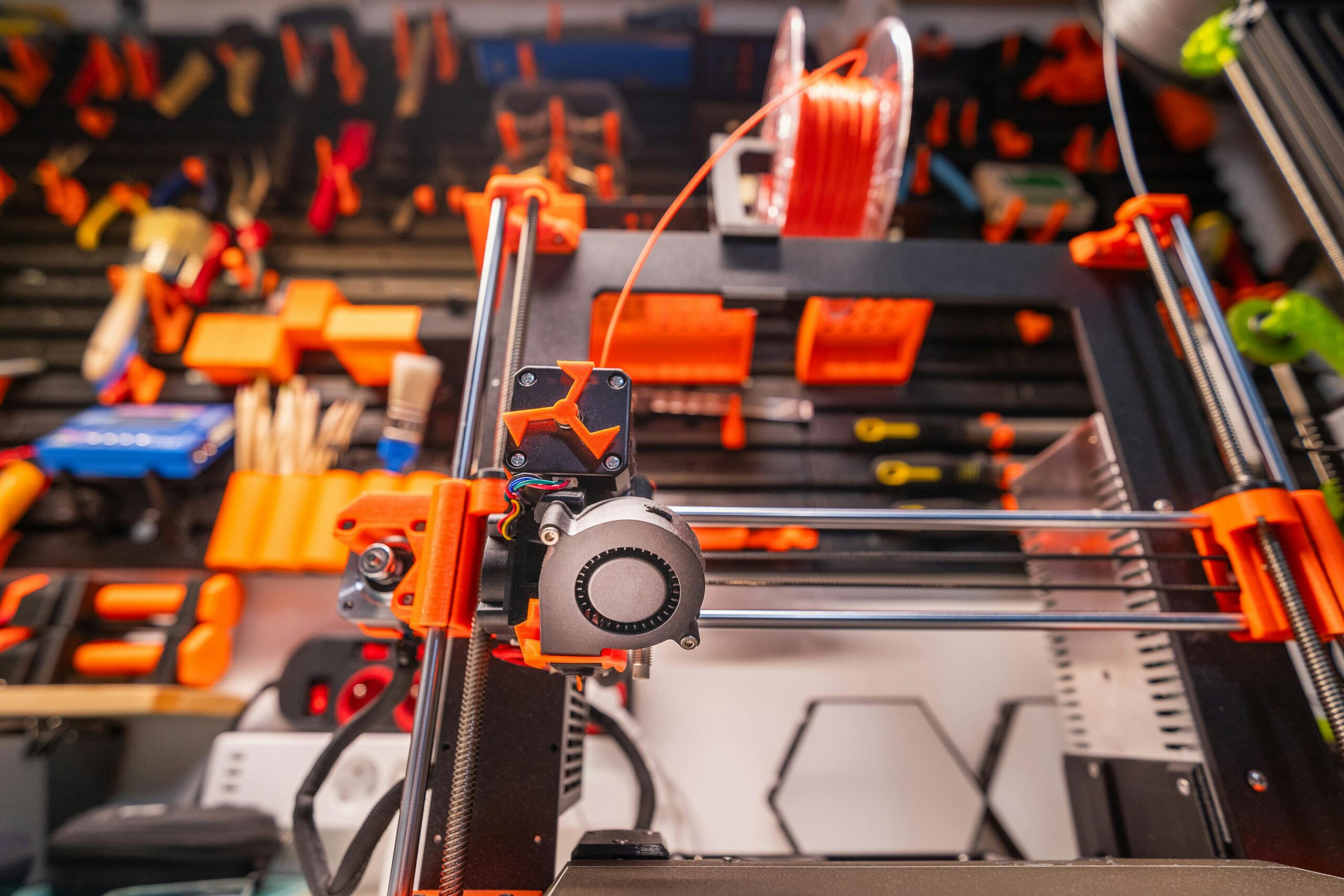
🏆 Building Confidence Through Calibration Mastery
Mastering calibration transforms 3D printing from frustrating guesswork into predictable, reliable manufacturing. Each successful calibration session builds understanding of how your specific printer behaves and responds to adjustments.
Start with fundamental calibrations—first layer, e-steps, and temperature—before advancing to flow rate and retraction refinement. This progressive approach builds competence without overwhelming complexity. As confidence grows, explore advanced techniques that further enhance print quality.
The time invested in proper calibration pays dividends through reduced failures, less wasted material, and the satisfaction of producing consistently excellent prints. Your calibrated printer becomes a reliable tool capable of bringing digital designs into physical reality with precision and repeatability.
Remember that calibration is an ongoing journey rather than a destination. Printers evolve through use, materials vary between manufacturers and batches, and your own standards for quality may increase with experience. Embrace calibration as an integral part of the 3D printing workflow, and you’ll minimize frustration while maximizing the creative possibilities this remarkable technology offers.